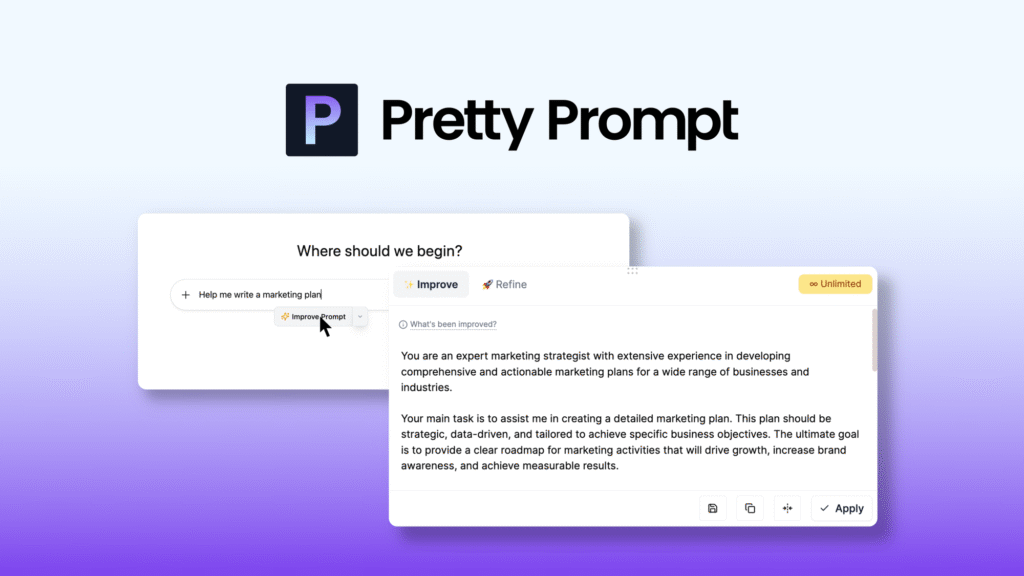
Well, if you’ve spent any amount of time trying to coax better results out of AI tools, you’ve probably realized that the magic often lies in the prompt. A tiny shift in wording can turn a dull response into something sharp, insightful, and—dare I say—actually useful. That’s precisely why Pretty Prompt has become such a fascinating addition to the workflow of creators, professionals, and curious everyday users. It’s not just another utility sitting quietly in the browser bar; it feels more like a subtle companion that nudges your ideas into clearer, richer territory.
A Gentle Push Toward Better Thinking
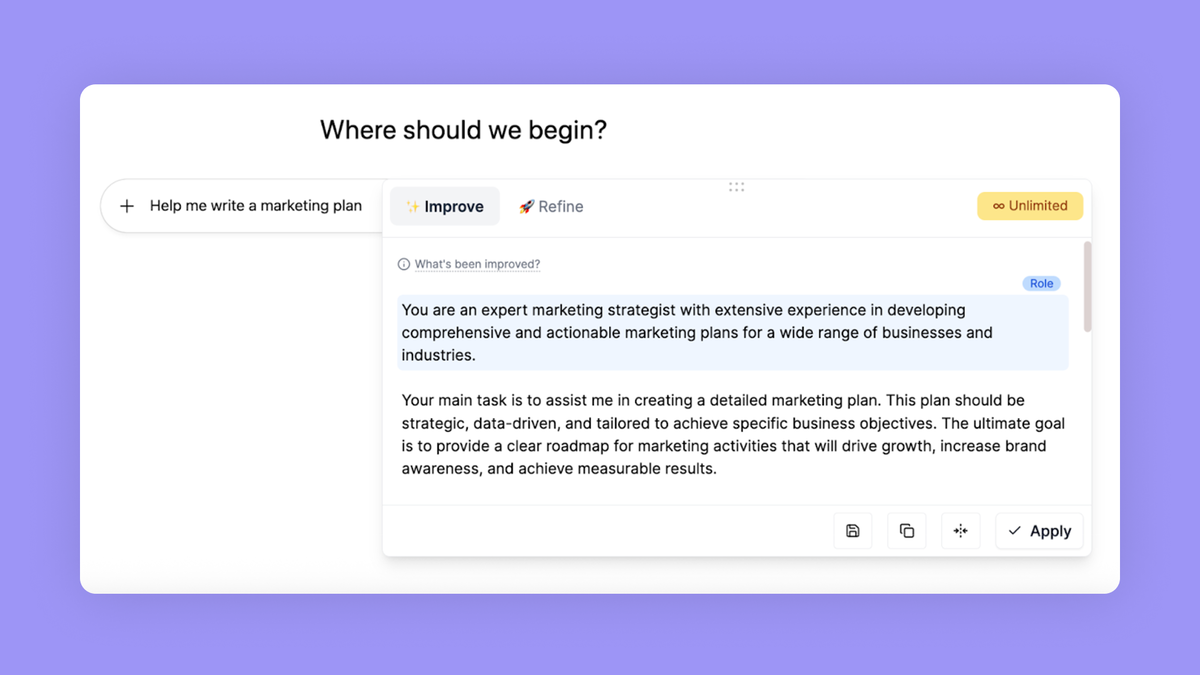
Imagine you’re drafting an idea for a marketing email. You type a couple of sentences, but they feel ordinary—flat, even. This is where Pretty Prompt slips in, almost like a perceptive friend leaning over your shoulder saying, “Hey, you could express that a bit better.” With a click, that rough thought transforms into something clearer, more contextual, and much more compelling.
What makes it feel different from traditional writing assistants is its focus on the prompt itself, not the output. Instead of rewriting your content, Pretty Prompt reshapes the command you give to the AI. It’s similar to telling a chef not just what dish you want, but how salty, how spicy, and how aromatic you’d like it to be. When the instructions become sharper, the final dish—your AI-generated response—inevitably improves.
Where It Fits in Real, Everyday Workflows
Actually, the beauty of Pretty Prompt is how seamlessly it blends into daily tasks. Picture someone running a small business: they might be juggling product descriptions, social media captions, emails, and brainstorming new ideas. Instead of crafting detailed prompts every time, they can rely on Pretty Prompt to elevate even a simple starting phrase.
A photographer could type: “write a post about new portrait session availability,” and within a heartbeat, the extension reshapes it into a vivid, engaging prompt ready for ChatGPT or any AI model. A teacher preparing classroom materials might jot down: “explain volcanoes for grade 5.” Again, a more refined version appears—structured, thorough, and ready to generate a smooth explanation.
Even for personal tasks, it’s handy. Need a weekend plan? Want a gym routine? Drafting a message for someone special? A polished prompt leads to a polished experience.
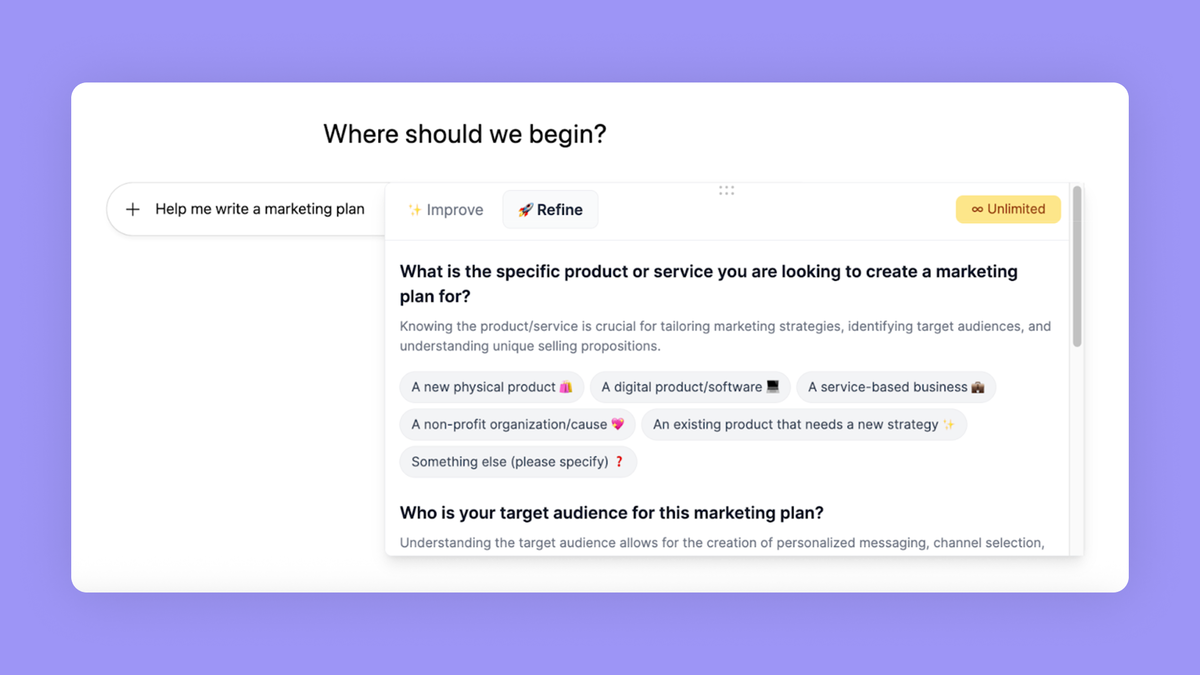
The Subtle Art of Making Prompts Better
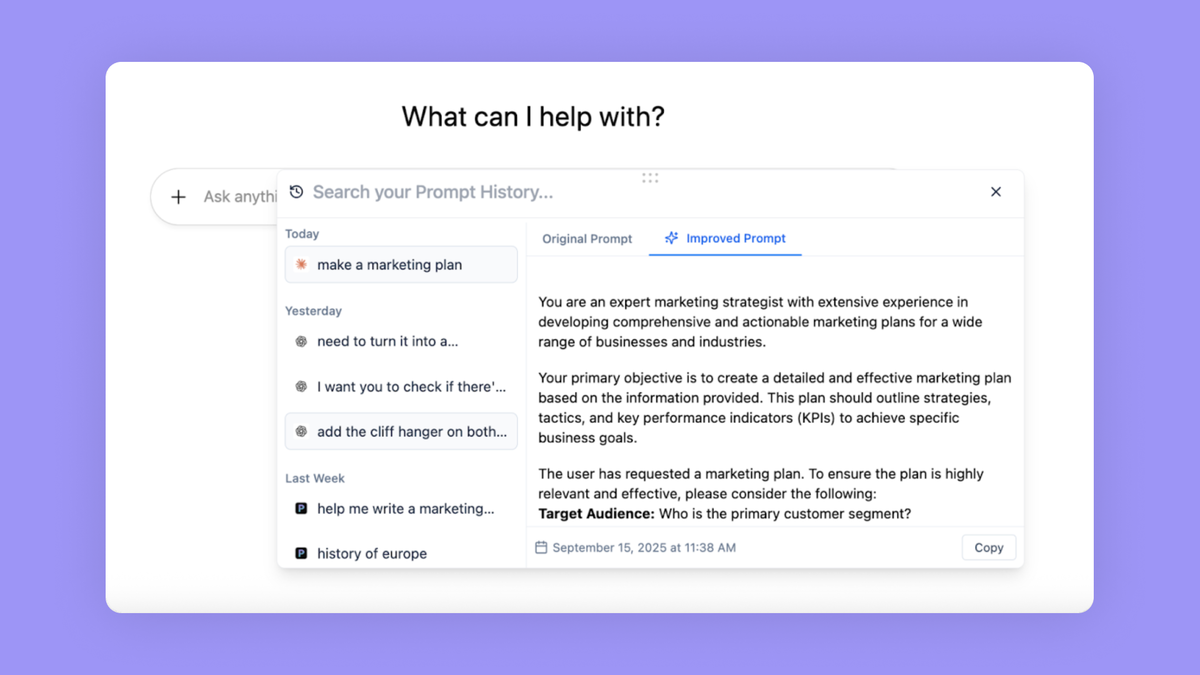
So what’s actually happening when Pretty Prompt “improves” your prompt? It’s not magic—it’s a blend of linguistic clarity, contextual framing, and structural refinement.
For example, if you type something vague like:
“Write something about how to save money.”
Pretty Prompt might turn it into something along the lines of:
“Write a practical, reader-friendly guide on saving money for young adults, including real-life strategies, common mistakes, and simple examples.”
This shift does two things:
It clarifies the purpose and audience.
It signals the tone, depth, and style you’re aiming for.
It’s almost like Pretty Prompt becomes a translator—converting scattered thoughts into structured direction. And honestly, that can save you from endless back-and-forth revisions with AI models.
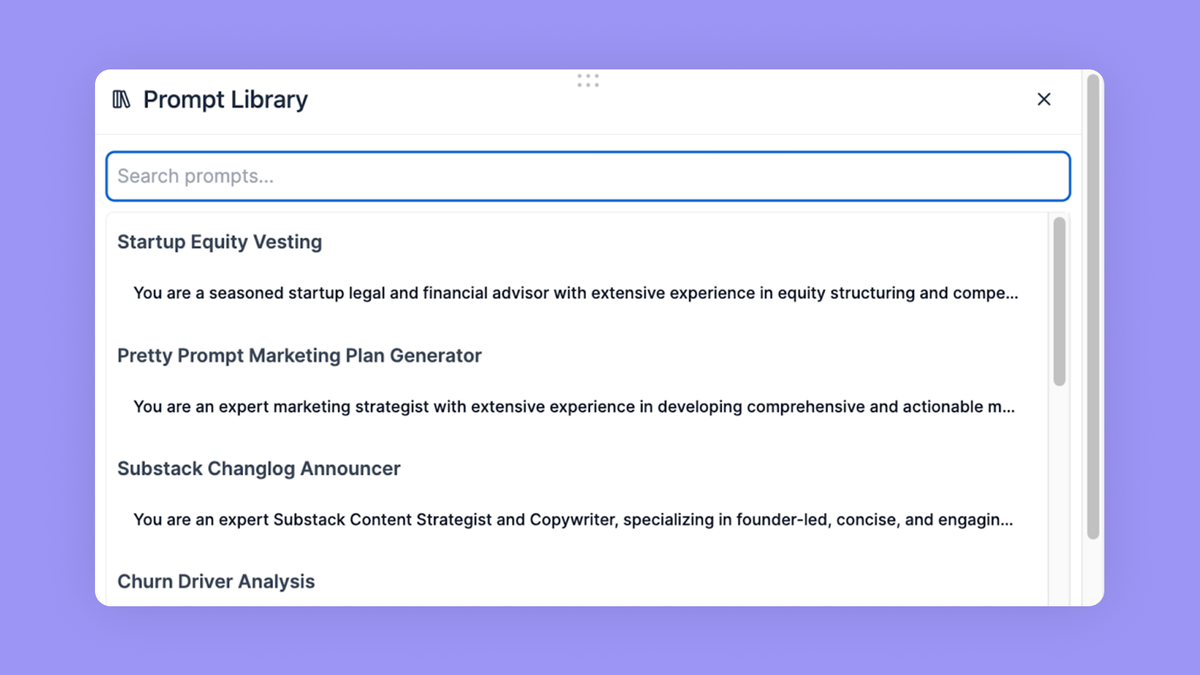
Features That Actually Matter
Let’s talk about what this tool really offers, without drowning you in technical bullet points.
Transforming rough ideas into polished prompts
This is the core feature—the heart of the experience. Whether you start with a fragment or an entire paragraph, Pretty Prompt rebuilds it into a stronger, more deliberate prompt.
Instant integration with your workflow
Since it works as a browser extension, you don’t need to open a separate window or switch tools. If you’re in ChatGPT, it appears right there. If you’re on a website, it stays within reach. It’s effortless—almost invisible.
Hints that help you think like a prompt expert
One surprising part of using Pretty Prompt is how it subtly teaches better prompting habits. After seeing its refinements a dozen times, you start naturally adopting those patterns. Before you realize it, you’re writing more purposeful prompts on your own.
Support for creative, technical, and professional tasks
Whether you’re writing a song intro, designing a workshop outline, preparing study notes, or planning a podcast script, the extension adapts. Its improvements don’t feel generic—they feel tailored to your intention.
It works with everyday human messiness
Sometimes you type quickly, or you’re tired, or you word things strangely. Sometimes you begin a prompt mid-thought like: “Make a story about—oh whatever just make it spooky and short.” Even then, Pretty Prompt takes it in stride and produces something surprisingly put-together.
Why It Feels Different
Have you ever asked an AI to write something and then found yourself rewriting your prompt again and again to get the tone right? It’s like adjusting the radio dial, trying to catch the signal. Pretty Prompt acts as that tuning mechanism, helping you sharpen the signal before you even hit send.
But beyond the technicality, it brings a human-like touch. It doesn’t just add length or keywords—it aligns the intention. That’s a rare thing.
For instance, if you intend to inspire, it makes your prompt more inspirational. If you want depth, it adds layers. If you’re aiming for simplicity, it clarifies and trims excess.
A Tool That Makes You Look (and Sound) More Confident
You know that feeling when you’re about to send something important—maybe a project description, an idea pitch, or a tricky customer message—and you want it to sound… well, like you know what you’re doing? Pretty Prompt gives you that confidence.
Not because it writes for you, but because it strengthens your intentions. And when your intention is clear, everything downstream becomes clearer too.
Real-World Example: A Marketing Team
Take a small marketing team brainstorming for a local restaurant. They want new campaign ideas but feel stuck. One team member writes:
“Give us some new marketing ideas for our restaurant.”
Simple. But bland.
After using Pretty Prompt, the prompt becomes something richer, like:
“Generate a list of creative, culturally relevant marketing ideas for a family-friendly restaurant, incorporating social media trends, seasonal promotions, and community engagement strategies.”
Suddenly, the AI isn’t guessing anymore—it’s aiming directly at what the team needs.
Click Here To Learn More About Pretty Prompt
Pretty Prompt Appsumo Lifetime Deal
 It’s hard to get great AI outputs without editing your prompts over and over. Good thing Pretty Prompt works right inside your browser, so you can level up any prompt in seconds. Pretty Prompt Appsumo Lifetime Deal
ONE-TIME PURCHASE OF $29 $180
How To Get an Extra 10% Discount on Pretty Prompt?
- Visit the “Pretty Prompt Lifetime AppSumo Deal” page.
- Wait for some seconds, An Discount popup will appear.
- Enter your Email to receive the exclusive benefits.
- Check Your Email Inbox For Next Instructions.
- Get a $10 discount at the end.
- Discount valid for new users only.
So if the main price of Pretty Prompt is $29, after getting a 10% discount you can buy it for $26 for your Lifetime. hurray !!!
 Do you Want 10% Discount On All Appsumo Products?
Click Here To Join On Appsumo Plus !
Alert !
Most deals are out of stock within a week of coming to Appsumo. So take it now if you need it. Also, check the amazing deal On this Site.
Also Check Out “CardClan Lifetime Deal – Send personalized digital cards at scale” Review!