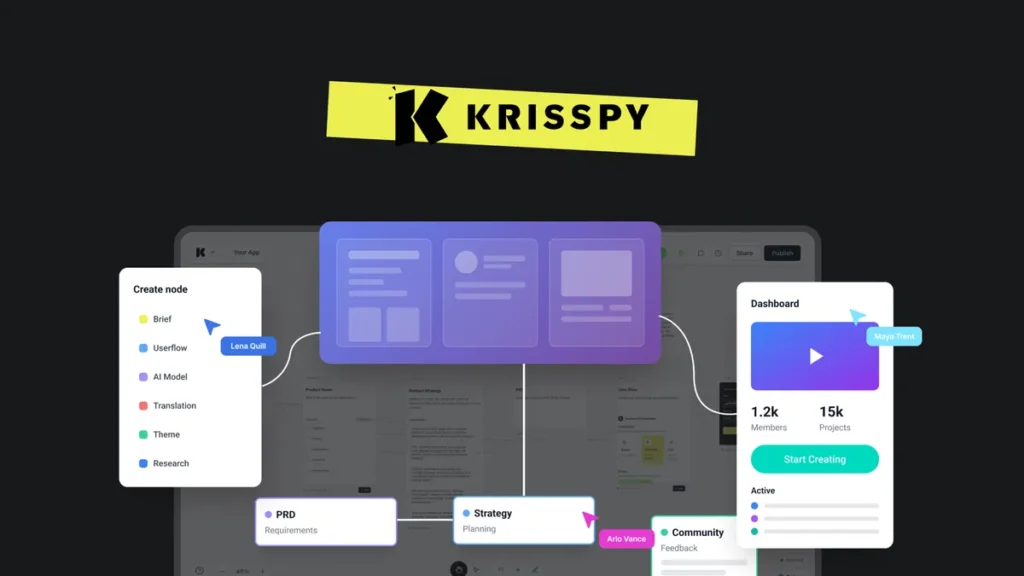
Krisspy Review — A Closer, More Human Look at This AI Design Tool
If you’ve ever tried turning a raw idea into something visual—an app concept, a website layout, or even just a rough product flow—you know how messy that early stage can get. Sketches everywhere. Notes that make sense on Monday and look like cryptic riddles by Wednesday. And then comes the moment you have to actually design something presentable.
Well, that’s exactly the chaotic gap Krisspy tries to fill.
Instead of wrestling with blank Figma canvases or trying to describe a UI to someone who “will get to it next week,” this tool promises something much simpler: describe what you want, and the AI turns it into a polished prototype. Sounds almost too magical, right? Let’s walk through it like a human who’s actually used it would.
A First Look at How Krisspy Works
Imagine explaining your app idea to a friend:
“Okay, I want a sign-up screen, then a dashboard that shows some stats, and maybe a button that leads to a settings page.”
That’s basically the level of detail Krisspy needs to start generating. It takes your rough text input and spins it into interface screens that look surprisingly complete. Buttons, layouts, spacing, icons—the whole visual scaffolding appears like you already hired a designer for the afternoon.
The interesting part is how fast it happens. In the time it takes to open Photoshop, Krisspy can generate half a dozen screens. And because everything is editable, you’re never locked into anything. You can regenerate, tweak, move, replace, or simply ask the AI to “make this more modern” or “lean into a softer style.”
It’s design, but without the quiet dread of a blank page.
Features That Stand Out (Without sounding like a brochure)
1. Text-to-Prototype Generation That Feels Like Magic
The star of the show is how Krisspy converts simple descriptions into visual layouts. You type your idea, hit generate, and boom—screens appear.
It reminds me of when voice assistants first appeared and everyone kept saying, “Wait… it understood that?” Same vibe here.
2. High-Fidelity Screens Instead of Wireframe Stick Figures
A lot of AI tools churn out wireframes that look like a napkin drawing. Krisspy is different. Its outputs feel like something you’d show in a pitch meeting or a client presentation.
Picture polished buttons, consistent spacing, clever icon use, and layout decisions that look like a trained designer was involved. Even if you’re planning to completely redo the visuals later, starting from something finished saves so much time and mental bandwidth.
3. Built-In User Flows and Product Structure
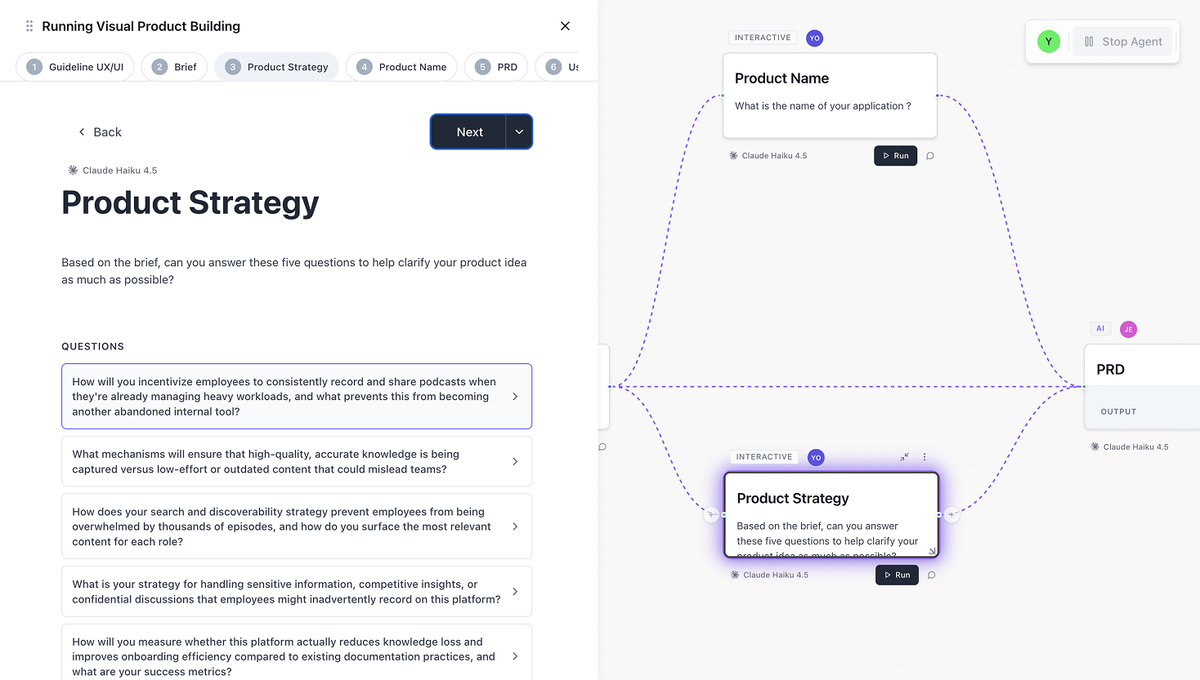
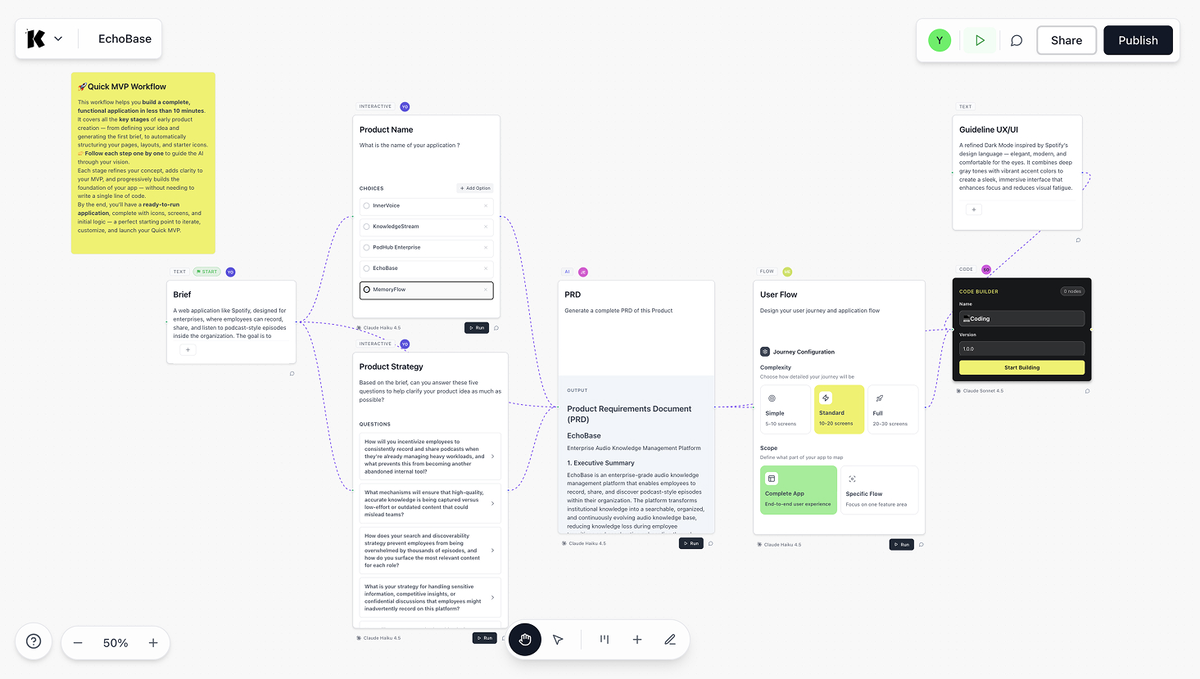
One thing I didn’t expect until I tried it: Krisspy doesn’t just give you screens. It maps out how those screens connect.
Think sitemaps, navigation trees, and journey flows.
This is huge because most early-stage creators struggle not just with “how it looks” but with “what goes where.” Suddenly, the foundation of your product feels organized instead of scribbled across three notebooks.
4. Iteration Made Stupidly Simple
We’ve all dealt with that one friend or teammate who says, “What if we made it more minimal?” but can’t define what they mean.
With Krisspy, you can literally type:
“Make this cleaner.”
“Try a darker theme.”
“Modernize the layout.”
“Add imagery.”
“Increase white space.”
… and it just does it. No awkward emails. No 20-minute videos explaining micro-adjustments.
If you like exploring different design moods before committing, this is honestly addictive.
5. Figma Export for Real-World Workflows
This feature feels like a bridge between dreaming and building.
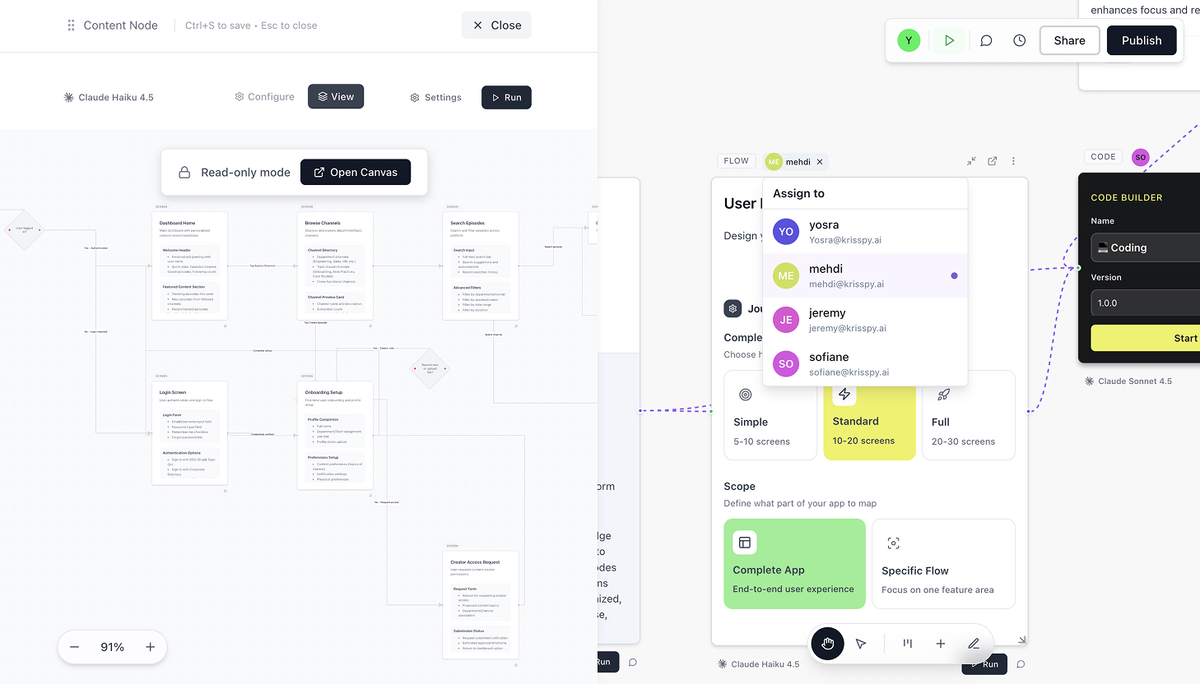
You generate a flow inside Krisspy, then export to Figma where your designer (or you, if you’re brave and caffeinated) can refine it further.
It’s especially useful because Figma still remains the “industry standard” for polishing, collaborating, and finalizing design systems. So Krisspy fits into existing pipelines instead of replacing them.
6. Interactive Prototypes You Can Actually Click Through
This is the part clients and investors love: clickable demos.
You can generate something that feels like a real app. Buttons take you places. Steps flow. Screens transition.
For showing off functionality—or testing whether an idea makes sense before pouring money into development—this is priceless.
7. Documentation That Doesn’t Feel Like Homework
Planning documents are a nightmare for many creators. You know you need them, but writing them feels like trudging uphill in mud.
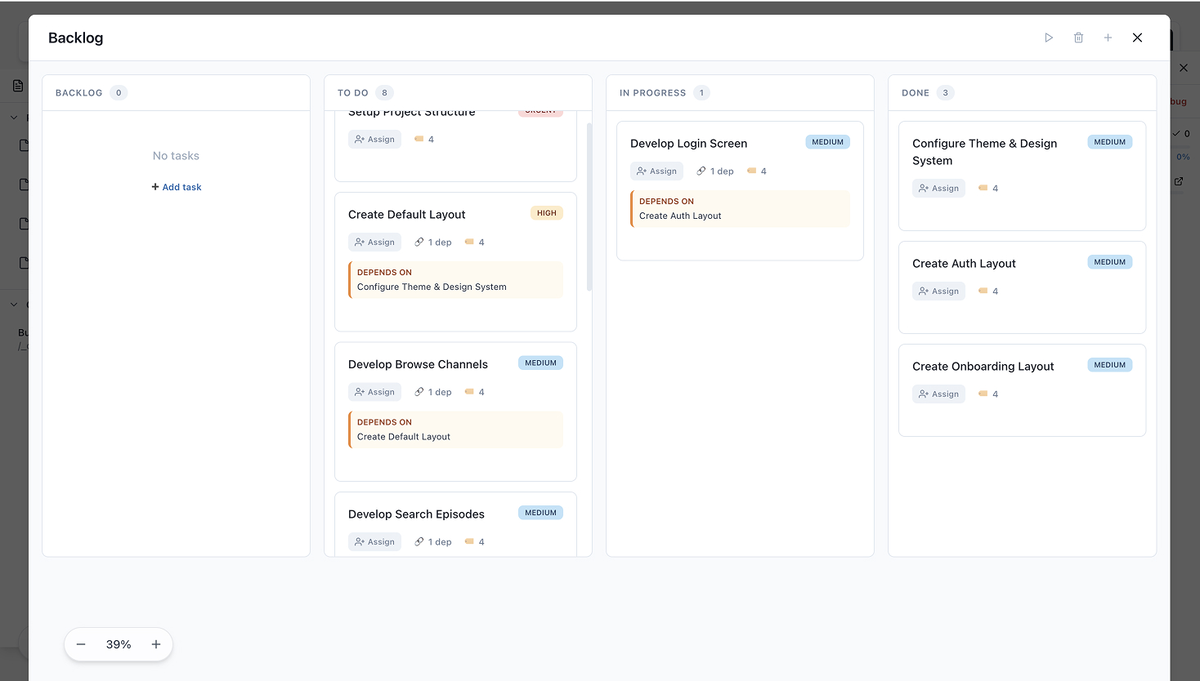
With Krisspy, the tool can craft:
Feature descriptions
Screen explanations
User stories
Requirements
Notes for developers
It essentially becomes the quiet teammate who handles the boring but necessary paperwork.
So… Who Is Krisspy Really For?
While it can technically help anyone, the tool shines in a few scenarios:
Creators Turning Ideas Into Reality
If you’ve got notebooks full of app ideas, Krisspy makes them real in a day. You can literally go from “Hmm, what if there was an app that tracked…” to “Here are your screens.”
Entrepreneurs Pitching Investors
Investors don’t care about your paragraphs—they want clarity. Clickable prototypes and clean flows from Krisspy add instant professionalism.
Developers Who Hate Designing
Plenty of devs are brilliant with code but allergic to UI design. Using Krisspy as a visual foundation makes the entire development process smoother.
Designers Who Want Faster Idea Exploration
Designers can use it as a “concept generator” to kickstart creative direction before polishing manually.
Real-Life Example: From Idea to Interface
Let’s pretend you want to build a fitness-tracking app for teens. Normally, you’d sketch ideas, maybe Google “UI inspiration,” or click through template libraries until your eyes blur.
With Krisspy, you could type:
“A clean, colorful fitness app with a dashboard showing steps, calories, mood tracking, and a weekly summary. Add a progress ring and a playful tone.”
Seconds later? A full set of screens appears. You refine a bit. Regenerate a few designs. Export to Figma. And now you have something that looks like a real app—without the three-week slog.
It’s strangely empowering.
Click Here To Learn More About Krisspy
Krisspy Appsumo Lifetime Deal
 Between scattered tools, fuzzy specs, and constant rewrites, building a product feels like chaos. Krisspy helps you connect every idea, flow, and task, so you can track how your product is built. Krisspy Appsumo Deal
ONE-TIME PURCHASE OF $119 $1,284
Integrations: Figma
Best for: Freelancers, Product managers, Small businesses
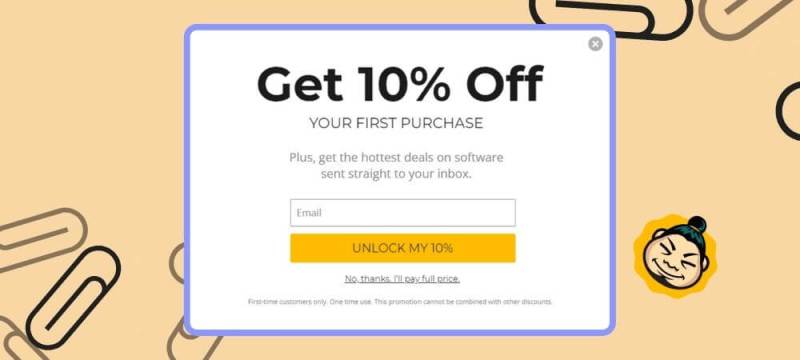
How To Get an Extra 10% Discount on Krisspy?
- Visit the “Krisspy Lifetime AppSumo Deal” page.
- Wait for some seconds, An Discount popup will appear.
- Enter your Email to receive the exclusive benefits.
- Check Your Email Inbox For Next Instructions.
- Get a $10 discount at the end.
- Or Use Coupon Code: SUMOCHAT10
- Discount valid for new users only.
So if the main price of Krisspy is $119, after getting a 10% discount you can buy it for $107 for your Lifetime. hurray !!!
Final Thoughts — What Makes Krisspy Feel Different
Actually, here’s the simplest way to put it:
Most AI design tools feel like assistants. Krisspy feels like a collaborator.
It doesn’t just give you assets—it helps you make decisions. It nudges your idea into clearer shape. It jump-starts momentum. And if you’ve ever tried to build anything from scratch, you know momentum is gold.
Whether you’re launching a startup, planning a redesign, or simply turning an idea into something tangible, Krisspy offers a shortcut that still respects creativity. And honestly? That’s rare.