Dart AI Review: A Real-World Look at the AI-Powered Project Management Tool
Well, if you’ve been circling around AI-enhanced productivity tools lately, you’ve probably noticed how crowded the space has become. Yet every now and then, something pops up that makes you pause for a second. That’s pretty much what happened the first time I tried Dart—an AI-driven project management platform that promises to break the cycle of endless task lists, scattered notes, and those “Did anyone update the board?” moments.
This review isn’t a fluffy overview. It’s a grounded, real-world look at how Dart actually feels to use, the features that stand out, and the bits that make it different from the usual PM tools you and I have wrestled with for years.
A Quick Snapshot: What Makes Dart Different?
If I had to summarize Dart in one line, it would be:
A project management tool with an AI brain—and a surprisingly intuitive personality.
You’re not dealing with static boards or cold automation. Instead, the platform functions like a proactive partner that nudges, organizes, translates your ideas into structured plans, and quietly fills in the gaps you didn’t realize you left open.
Imagine telling a colleague, “Hey, we need to prepare a launch plan for next month,” and instead of getting eight follow-up questions, they simply craft the outline, slice it into tasks, estimate timelines, and lay everything neatly on the table. That’s basically how Dart behaves.
The AI Chat-First Workflow (and Why It’s Actually Useful)
One of the most refreshing things about Dart is the conversational interface. Instead of clicking through menus or digging into forms, you can literally describe what you want.
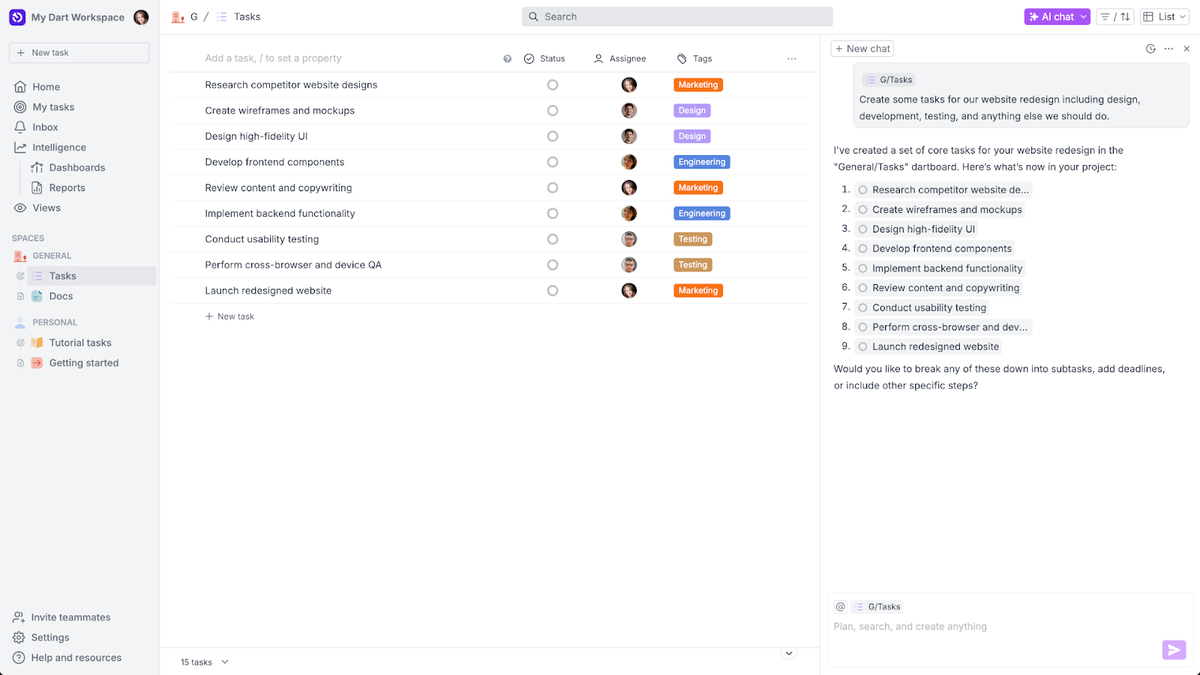
For example:
“Break down a 7-day social media campaign plan with captions, deliverables, and deadlines.”
Within seconds, Dart creates a tidy set of tasks, assigns structure, and presents everything in a way that feels like a project manager took notes and turned them into action items.
Is it perfect? Not always. Sometimes it over-assumes or adds more detail than necessary. But honestly, it’s still a whole lot faster than doing everything manually.
Intelligent Task Generation That Feels Natural
A standout element is how Dart interprets vague ideas and turns them into organized, logical sequences.
Let’s say you’re planning a new feature for an app. You might type:
“We’re adding a user rewards system. Break it down into dev tasks, UX tasks, and testing steps.”
Immediately, tasks appear with proper grouping, dependencies, and descriptions. No staring at blank boards. No mentally juggling 14 subtasks at once.
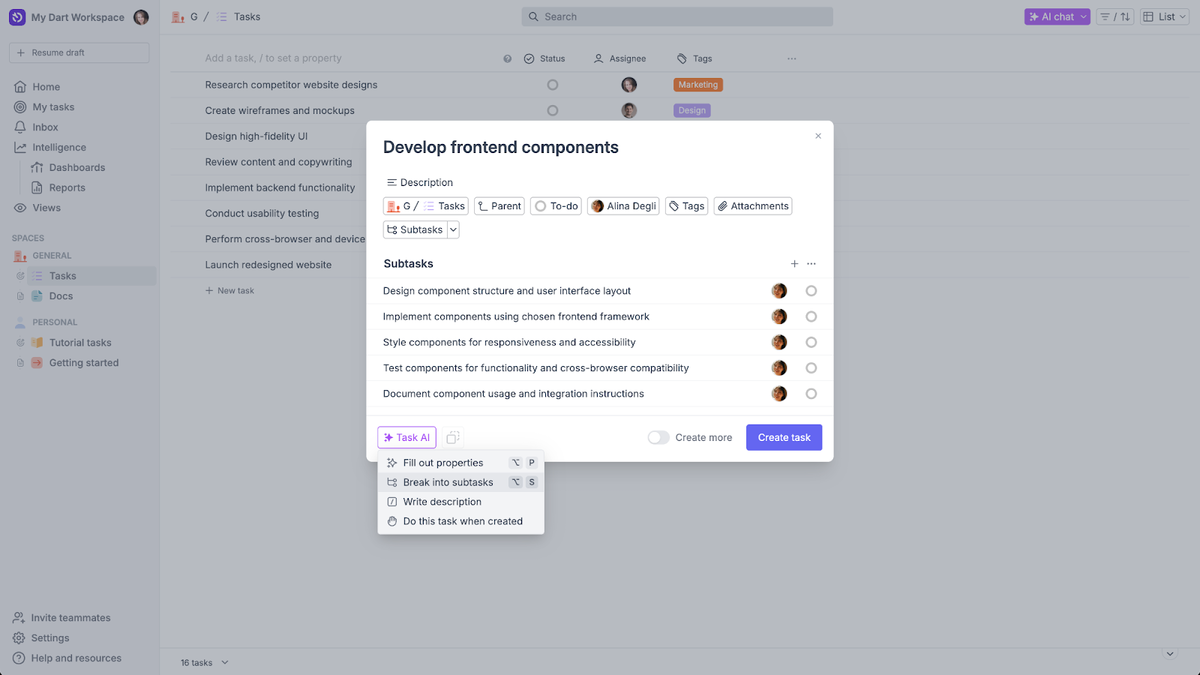
To be honest, this feature alone saves more time than people realize. The hardest part of project planning is usually the starting phase—getting things out of your head. Dart handles that effortlessly.
AI Agents: The “Second Brain” You Didn’t Know You Needed
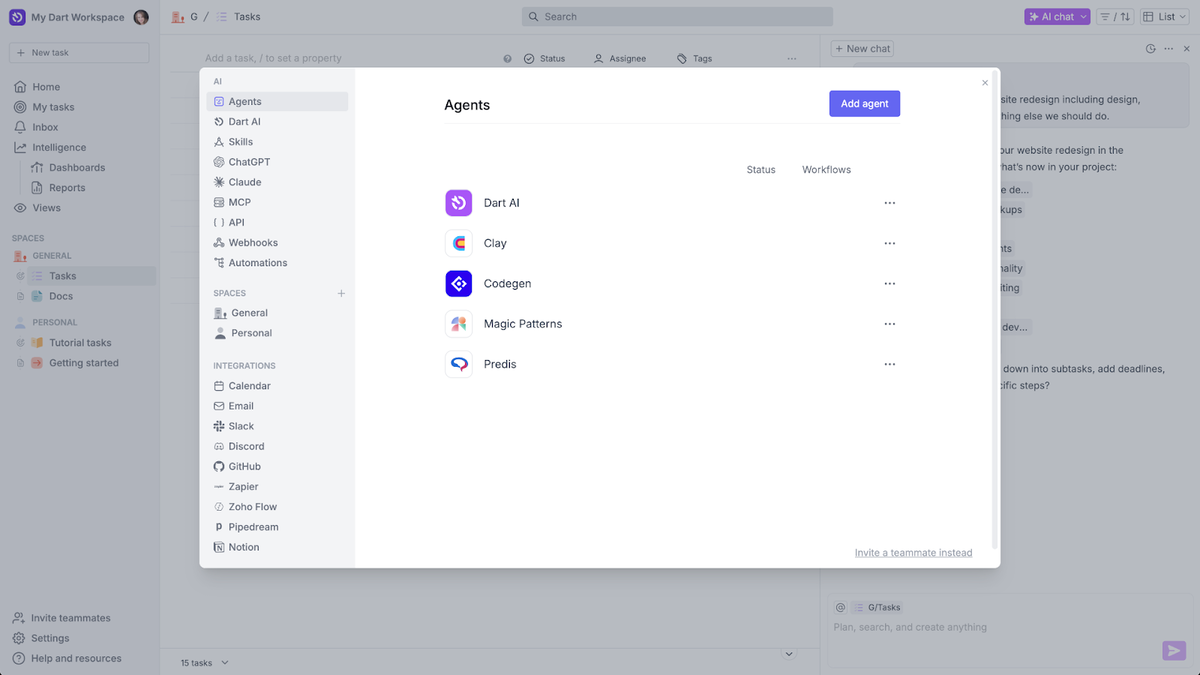
Actually, here’s where things get interesting. Dart doesn’t just create tasks—it can work on them with AI agents.
Think of agents as little digital teammates you can assign jobs to.
Some examples:
A “research agent” gathering info for your report
A “marketing agent” drafting email sequences
A “documentation agent” writing SOPs
A “planning agent” that keeps timelines realistic
It’s a bit like hiring interns who never sleep and don’t mind repetitive tasks. The best part is that agents don’t feel gimmicky—they genuinely reduce workload. You delegate, they do the legwork.
Automation That Doesn’t Feel Like a Robot Took Over
Many tools brag about automation but end up giving you complicated workflows that take longer to build than the tasks themselves.
Not here.
Dart handles automation in a “human-like” way. It watches your patterns and fills the gaps:
If you always assign design tasks to the same person, Dart starts doing it automatically.
If your reports follow a certain structure, it drafts them proactively.
If deadlines look unrealistic, it suggests adjustments before things go sideways.
It’s more “assistant” than automation software.
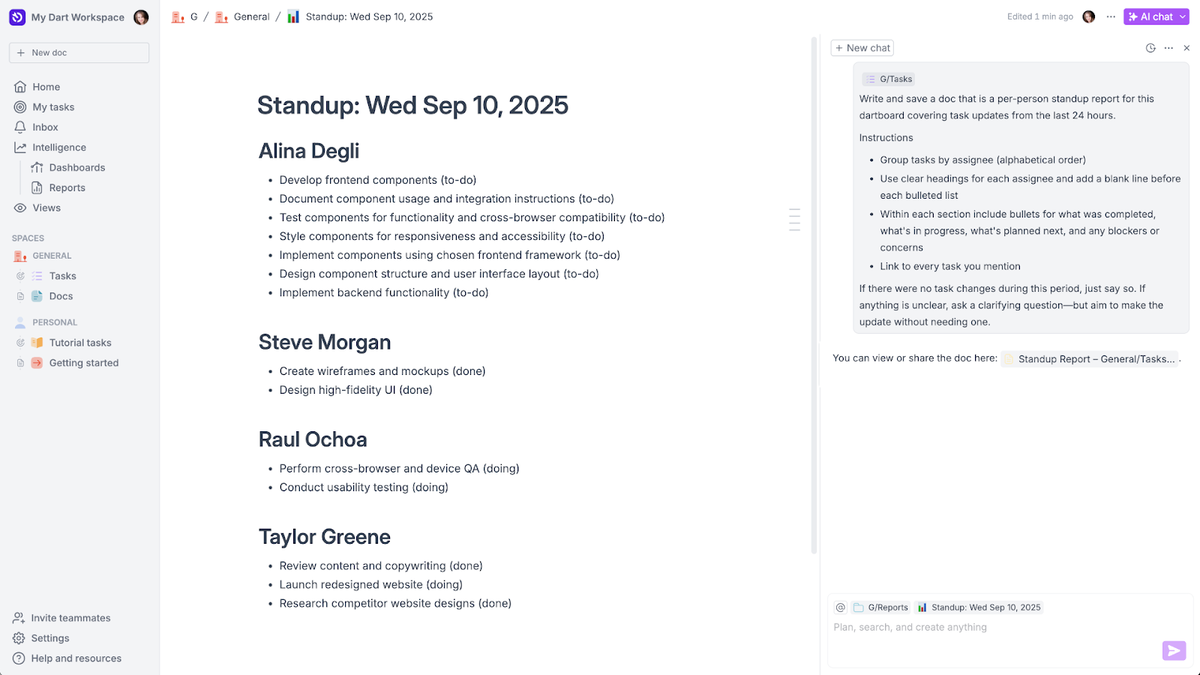
Workspace Customization That Doesn’t Require a Manual
Here’s something rare: customization that feels effortless.
Workspaces in Dart are flexible enough for solo creators yet powerful enough for teams. You can build spaces for:
Client projects
Software development
Marketing teams
Personal planning
Content calendars
And you don’t get lost in settings. The interface is intuitive, clean, and minimal—almost calming compared to tools cluttered with icons and tabs.
The platform also adapts based on how you use it. If you frequently switch between roadmap, board, and chat mode, Dart quietly prioritizes those views.
Real-World Scenario: How Dart Performs During a Busy Week
Let me paint a quick picture.
You’re managing a team preparing a product launch.
On Monday morning, you ask Dart:
“Give me a full launch checklist including marketing, dev fixes, outreach, and content creation.”
Boom—your project skeleton appears.
As the week unfolds:
You draft emails with the assistant.
You offload repetitive updates to AI agents.
You get nudges on what’s falling behind.
You receive auto-generated summaries every morning.
Your team works inside a clean, organized space without nagging reminders.
By Friday, the chaos is noticeably… quieter. You’ve still worked hard, but the system handled so much background noise that the workload feels lighter than usual.
This is where Dart earns its keep.
Integrations That Keep Everything in One Place
Instead of replacing your stack, Dart connects with popular tools so you don’t lose momentum.
It integrates smoothly with platforms like:
GitHub
Slack
Zapier
Calendar apps
Document tools
It won’t demand that you “move your life into a new system.” It plays nicely with what you already use.
Click Here To Learn More About Dart
Dart Appsumo Lifetime Deal
 When you’re already swamped, staying on top of work feels like a project of its own. Dart lets you manage your projects with AI so nothing falls through the cracks. Dart Appsumo Deal
ONE-TIME PURCHASE OF $59 $196
How To Get an Extra 10% Discount on Dart?
- Visit the “Dart Lifetime AppSumo Deal” page.
- Wait for some seconds, An Discount popup will appear.
- Enter your Email to receive the exclusive benefits.
- Check Your Email Inbox For Next Instructions.
- Get a $10 discount at the end.
- Or Use Coupon Code: SUMOCHAT10
- Discount valid for new users only.
So if the main price of Dart is $59, after getting a 10% discount you can buy it for $53 for your Lifetime. hurray !!!

Do you Want 10% Discount On All Appsumo Products?
Click Here To Join On Appsumo Plus !
Alert !
Most deals are out of stock within a week of coming to Appsumo. So take it now if you need it. Also, check the amazing deal On this Site.
Final Thoughts: Is Dart Worth It?
If you’re someone who juggles multiple projects, manages teams, or simply gets overwhelmed by the constant flow of tasks, Dart offers a refreshing, genuinely helpful approach to project management.
It feels modern.
It reduces mental clutter.
It turns vague ideas into structured action.
And it brings AI into daily work in a way that feels natural—not forced.
Is it perfect? No tool is. But does it deliver unusually high value for anyone who wants speed, clarity, and an AI-assisted workflow? Absolutely.
Dart isn’t just another PM tool; it’s a smoother, more intuitive companion for anyone who wants to get things done without drowning in administrative overload.
If you’re curious, give it a spin—you might be surprised at how quickly it becomes part of your everyday workflow.
Also Check Out “CardClan Lifetime Deal – Send personalized digital cards at scale” Review!