Dreamlit AI Review: An Email Automation Tool Built for “Vibe Coders”
If you’ve ever tried to set up email workflows for your product, you probably know the feeling: a jungle of APIs, webhooks, templates, deliverability settings, and logs scattered across different tools. It’s powerful, sure, but it’s also exhausting. That’s exactly the pain Dreamlit AI is trying to solve.
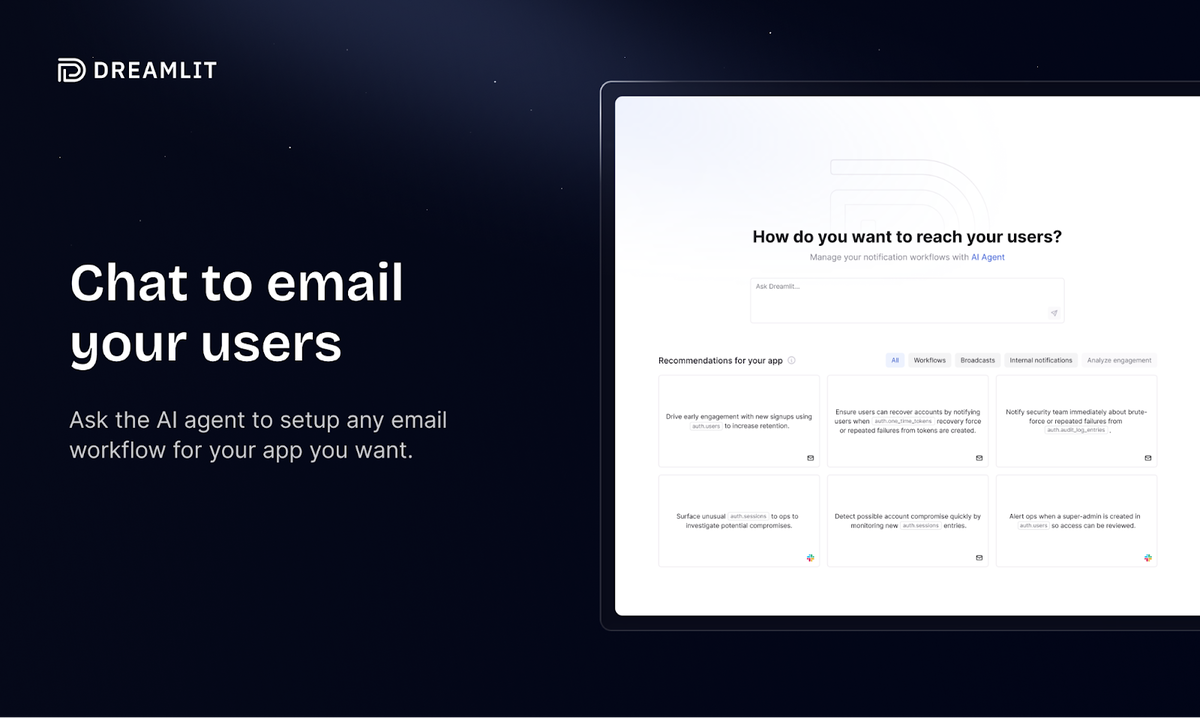
Instead of treating email as a separate, complicated marketing system, Dreamlit AI sits closer to your data and lets you “explain” what you want in normal language. It then turns that into actual workflows—welcome sequences, transactional notifications, lifecycle nudges, and more—without you wiring everything manually.
This review walks through what Dreamlit AI is, how it works, and the features that make it feel less like a traditional email tool and more like an intelligent teammate for your app.
What Is Dreamlit AI, Really?
At its core, Dreamlit AI is an AI‑native email automation platform designed primarily for builders who live in their database—founders, indie hackers, “vibe coders,” and developers who don’t want to become full‑time email engineers.
Instead of forcing you to learn yet another DSL, node‑based automation builder, or clunky drag‑and‑drop editor, Dreamlit AI lets you do things like:
Connect your database (commonly Postgres / Supabase).
Describe, in plain English, what you want your emails to do.
Let the system generate triggers, logic, and email content.
Monitor activity from a central log, rather than hunting across services.
Imagine telling Dreamlit AI:
“When a new user signs up, send them a friendly welcome email, then if they haven’t created a project after three days, remind them with a short message and a tutorial link.”
In a traditional stack, that’s: API events, background jobs, maybe a queue, an ESP, a template system, and some kind of cron‑style logic. In Dreamlit AI, the goal is to compress all that into a single, AI‑assisted flow.
Built Around Your Data, Not the Other Way Around
One of the more refreshing ideas behind Dreamlit AI is that your database is the main character. Many email tools want to be the “source of truth”: they want your lists, your segments, your events. That often leads to duplication, sync bugs, and the infamous “why does this user exist in our DB but not in our ESP?” detective work.
Dreamlit AI flips that around. It plugs into your existing data layer—most notably Postgres‑style databases—and watches what’s happening there.
Think of it like this: instead of exporting pieces of your app’s brain into another service, you keep the brain where it is, and Dreamlit AI acts like a highly specialized nervous system that reacts to important signals.
For example:
A row is inserted into a
userstable → trigger a welcome sequence.A
trial_end_dateis approaching → send a reminder 24 hours beforehand.A
plancolumn changes from “free” to “pro” → celebrate the upgrade and maybe ask for a quick NPS response.
Because Dreamlit AI sits close to this data, you don’t have to pipe everything into a separate event system and hope nothing gets dropped along the way.
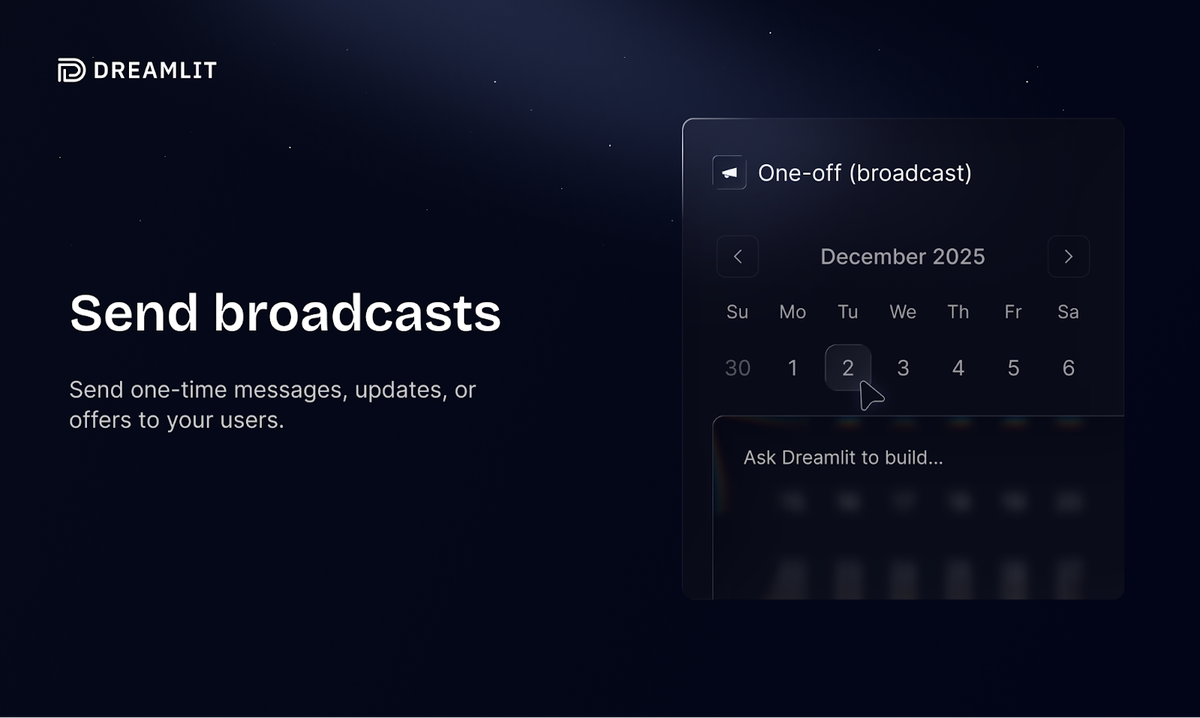
Natural-Language Workflow Design
This is where Dreamlit AI leans into its “AI‑native” identity.
Instead of manually assembling flowcharts, you describe what should happen in words. The system then translates that into a structured workflow: triggers, filters, delays, branches, and actions.
A few concrete scenarios:
Onboarding flow:
“For new users, send a warm welcome email instantly, then a follow‑up on day 2 explaining main features, and another on day 5 highlighting advanced tips—but only if they haven’t activated a key feature yet.”Trial lifecycle:
“When someone starts a trial, send an email that explains what they can unlock. Three days before the trial ends, send a reminder. The day before the trial ends, send a final nudge with their usage stats.”Team invite flow:
“When a team owner invites a teammate, send the teammate an invite email. If they haven’t joined within 48 hours, send a reminder and notify the team owner.”
In a traditional tool, you’d need to wire every branch. In Dreamlit AI, you aim to focus on “what should happen” rather than “how do I stitch this together.” The AI parses your instructions and builds the underlying logic accordingly.
Is it magic? No, of course not. But when it works, it feels a lot closer to collaborating with a colleague than configuring a machine.
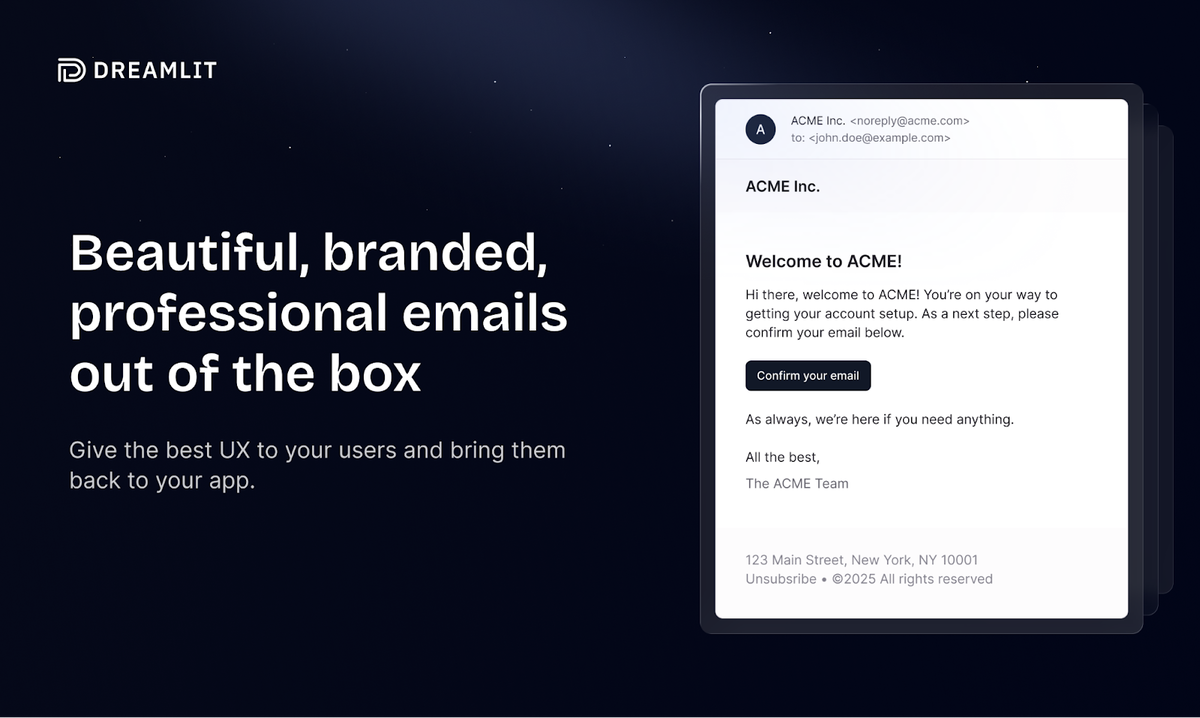
AI‑Generated, Brand-Aware Email Templates
A big chunk of email work isn’t the logic; it’s the content. The copy, the layout, the buttons, the responsiveness, the styling to match your brand. That’s another space where Dreamlit AI steps in.
You can feed it basic brand information—your logo, colors, tone of voice—and let it draft:
Welcome emails
Transactional alerts (password reset, invoice ready, notification digests)
Lifecycle nudges (win‑back messages, upgrade prompts, activation tips)
Broadcasts and announcements
Instead of staring at a blank canvas, you get a solid, on‑brand starting point. You can then refine the wording like you would with any copywriter: “Make this a bit more playful,” “Reduce the hype,” “Shorten this section,” and so on.
For busy founders juggling a hundred other tasks, having Dreamlit AI act as your built‑in email copy and design assistant can shave hours off each campaign or flow.
Event-Driven Architecture Without Webhook Chaos
Anyone who has relied heavily on webhooks across multiple external providers knows they can be… temperamental. Events can fail, retries can misbehave, payloads can change, endpoints can break silently.
Dreamlit AI is designed to minimize that headache by anchoring itself in your database rather than trying to catch every webhook in mid‑air.
In practice, this usually looks like:
Logging relevant changes as structured events tied to your data.
Reacting to those events in a predictable, observable way.
Making it easier to debug what happened when an email did (or didn’t) go out.
So, if a founder asks, “Why didn’t this user get the upgrade email?” they can walk through:
Did the database event happen?
Did Dreamlit AI see the event and log it?
What decision did the workflow make based on the conditions?
This is much less fragile than a chain of “Webhook → Queue → Worker → ESP” where any silent break in the chain becomes a mystery. With Dreamlit AI, the visibility stays closer to the data you already understand.
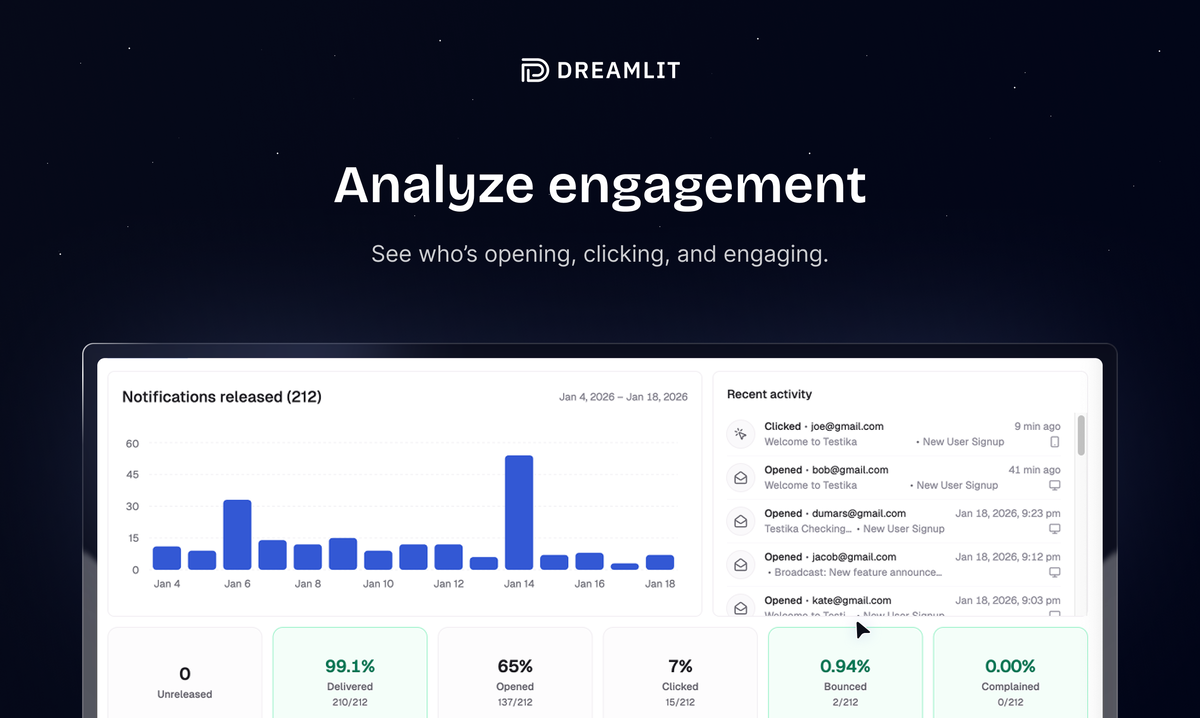
Activity Logs and Observability
No serious email system is complete without visibility. It’s not enough to say “we sent emails” – you need to know:
Who got what.
When they got it.
Whether it bounced, failed, was opened, or clicked.
How workflows behaved in real time.
Dreamlit AI includes an activity log that behaves a bit like a mission control panel for your automations. You can scroll through events and emails much like a timeline:
“User A signed up → Welcome email sent.”
“User B’s trial end event fired → Reminder scheduled.”
“User C opened the onboarding email → No further reminder needed.”
Instead of cobbling together logs from your app, your ESP, and your background job runners, you get a coherent story. This is especially valuable when debugging edge cases or trying to understand user journeys.
It’s similar to having a black box flight recorder for your communication layer. When something goes wrong, you replay what happened rather than guess.
Designed for Builders, Not Just Marketers
One subtle but important theme in Dreamlit AI is who it is actually built for.
Traditional email tools often speak primarily to marketers: campaign managers, CRM specialists, growth teams. The interface and language are built around lists, segments, campaigns, and A/B tests. That’s powerful, but if you’re a developer‑founder, it can feel like the wrong abstraction.
Dreamlit AI leans the other way. It’s more:
“Here’s your database.”
“Here are the events that matter.”
“Here’s how to describe behavior in plain language.”
That doesn’t mean marketers can’t use it; it just means the mental model aligns more naturally with how product builders think: tables, rows, triggers, and flows driven by real app usage rather than just email lists.
A simple analogy: if many ESPs are like email‑first CRMs, Dreamlit AI is more like an automation engine bolted tightly to your app’s core.
Real-Life Use Cases
To make this more concrete, here are a few realistic ways teams might use Dreamlit AI:
Indie SaaS on Supabase
A solo developer building a project management tool doesn’t want to manage SendGrid templates, servers, and a custom worker system. They connect their Supabase database to Dreamlit AI, define onboarding and upgrade flows in natural language, and let the system handle the rest. They still own the data; they just offload the orchestration.Early-Stage Startup
A small team has a product with trials, workspaces, and team invites. They use Dreamlit AI to handle complex logic like “send different emails depending on workspace type” without building a ton of internal tooling. As they ship new features, they update the instructions instead of rewriting backend logic.Non-Technical Founder with a Dev Partner
A non‑technical founder wants to control messaging and flows but doesn’t want to touch raw code. The developer wires the database connection and initial setup. After that, the founder tweaks flows inside Dreamlit AI using descriptive prompts, adjusting tone and timing themselves.
In all of these cases, the common story is: less glue code, fewer brittle webhooks, and more focus on actual user experience.
Click Here To Learn More About Dreamlit AI
Dreamlit AI Appsumo Lifetime Deal with 10% Discount
 You can’t build your app when you’re stuck coding email templates and syncing user data. Dreamlit AI sits on top of your PostgreSQL or Supabase database, so you can set up email workflows with chat prompts. Dreamlit AI Appsumo Deal
ONE-TIME PURCHASE OF $79 $320
Alternative to: ActiveCampaign, Mailchimp, Twilio
Integrations: PostgreSQL
Best for: Product managers, Small businesses, Solopreneurs
How To Get an Extra 10% Discount on Dreamlit AI?
- Visit the “Dreamlit AI Lifetime AppSumo Deal” page.
- Wait for some seconds, An Discount popup will appear.
- Enter your Email to receive the exclusive benefits.
- Check Your Email Inbox For Next Instructions.
- Get a $10 discount at the end.
- Or Use Coupon Code: SUMOCHAT10
- Discount valid for new users only.
So if the main price of Dreamlit AI is $79, after getting a 10% discount you can buy it for $71 for your Lifetime. hurray !!!

Do you Want 10% Discount On All Appsumo Products?
Click Here To Join On Appsumo Plus !
Final Thoughts
Actually, the most interesting thing about Dreamlit AI isn’t any single feature in isolation. It’s the overall philosophy: email as a natural extension of your data and product logic, not as a separate marketing silo you have to constantly synchronize.
Instead of forcing you to juggle an ESP, a job queue, webhooks, and templates, Dreamlit AI tries to act like a layer that listens to your app, understands what you want users to experience, and then quietly does the heavy lifting in the background.
Is it for everyone? Probably not. But if you’re building a modern product and you’re tired of wrestling with low‑level email plumbing, it’s the kind of tool that can make your stack feel a lot more humane—and your communication with users a lot more intentional.
Alert !
Most deals are out of stock within a week of coming to Appsumo. So take it now if you need it. Also, check the amazing deal On this Site.
Also Check Out “GetTerms Lifetime Deal – Generate compliant website policies” Review!