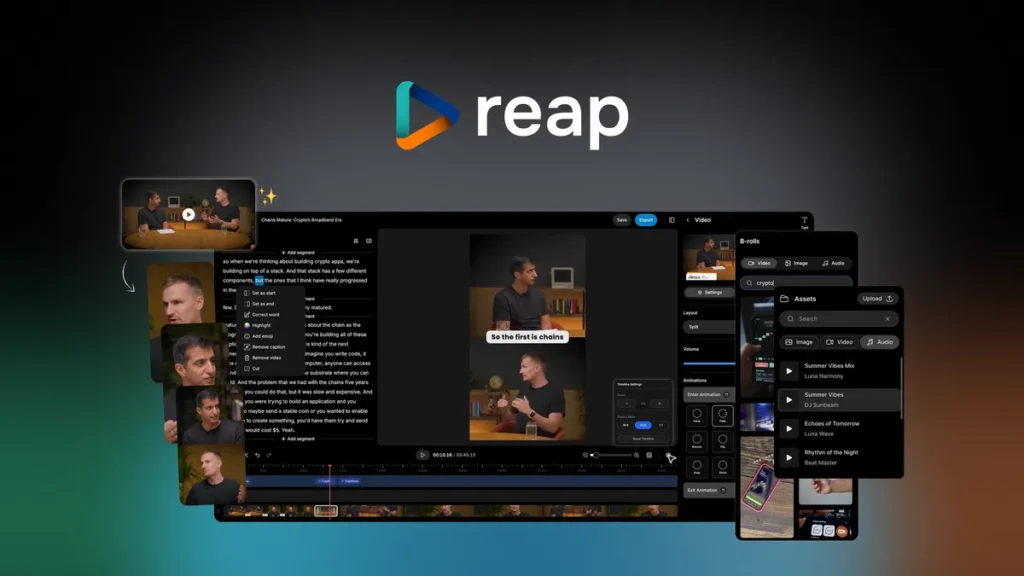
Reap Review — Is This the Tool Creators Have Been Waiting For?
If you’ve ever spent an evening hunched over your laptop, trimming a podcast into short clips, you already know how exhausting content repurposing can be. Hours disappear. Patience evaporates. And by the time you finally export the perfect 20-second snippet, you’re too tired to even post it.
Well, that’s the exact pain point Reap tries to eliminate—and honestly, it does a surprisingly solid job.
Unlike many AI video tools that promise the world and deliver a shrug, Reap actually feels like it was built by people who understand what creators, marketers, and social-media-obsessed entrepreneurs really need: speed, simplicity, and results that don’t look like a cheap template.
Let’s break it down.
A Tool That Understands How Creators Think
When you upload a long video—maybe a 45-minute interview, a gameplay session, or that Zoom call where someone said something unexpectedly brilliant—Reap immediately gets to work. And not in the usual “processing…” way.
It actually analyzes tone, pacing, emotional spikes, and conversational structure to detect moments that feel like they’d stop a scroller mid-thumb-swipe. This gives you a shortlist of clips that already feel punchy, instead of random slices you still need to rescue.
It’s a bit like having a sharp-eyed video editor next to you saying,
“Hey, right there—THAT’S your hook.”
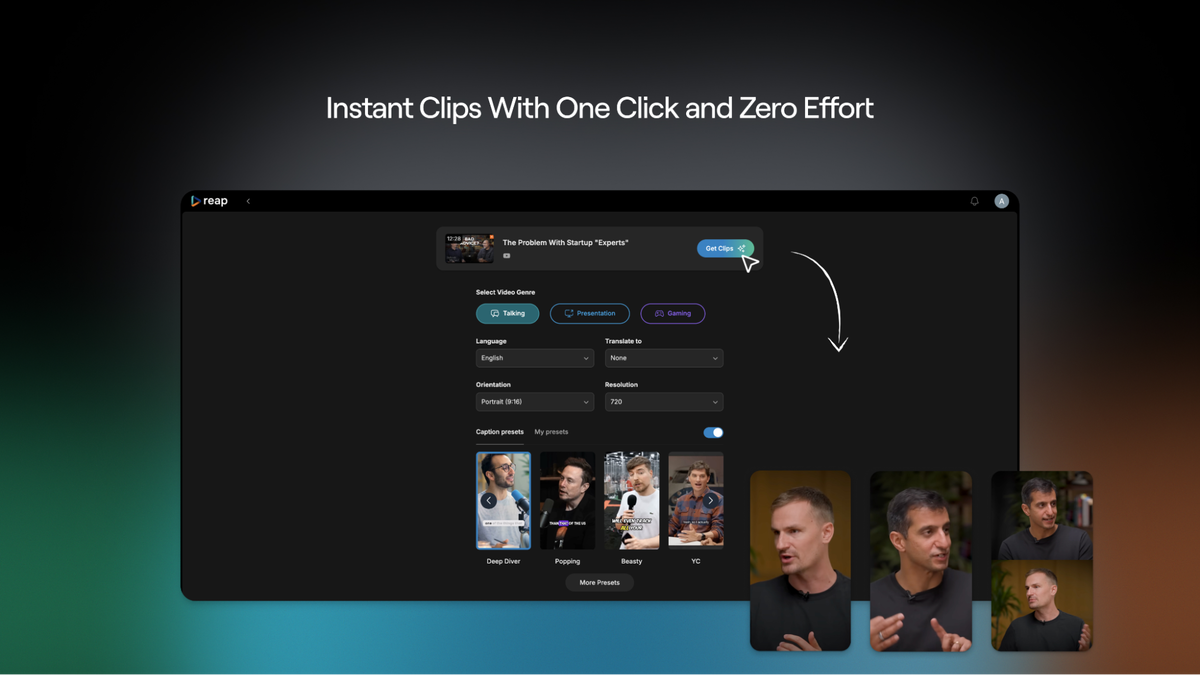
Features That Do the Heavy Lifting for You
1. Intelligent Clip Detection
Actually, this is the part that surprised me most. Reap doesn’t just detect words—it understands moments.
Imagine you’re reviewing a podcast episode. You might have five minutes of warm-up, some banter, and one golden 18-second insight. Most tools will give you 10 random clips and hope you’re happy.
Reap instead finds the exact moment where the energy changes… where the punchline lands… where the host leans in and says something that deserves 50,000 views on TikTok.
It feels almost human in that way.
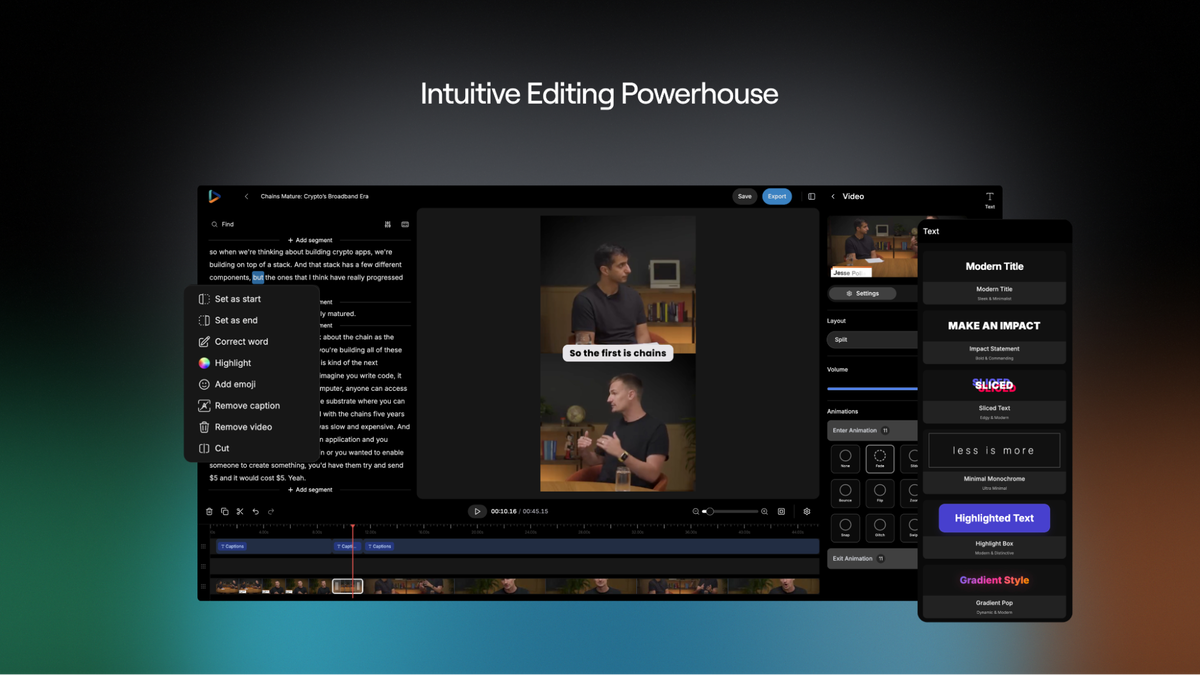
2. Auto-Captions That Don’t Look Robotic
Captions can make or break short-form content.
Viewers scrolling silently rely on them, and platforms boost videos that keep attention.
With Reap, captions snap into place automatically, but not in that stiff, AI-ish blocky style. They animate nicely, they’re properly timed, and you can tweak font, color, emphasis, and layout without fighting the interface.
If you’ve ever manually added captions in other editors, you know how time-consuming it is. Using Reap feels like skipping straight to the fun part.
3. Templates That Look Like They Belong on TikTok, Reels, and Shorts
Some AI editors give you templates that scream “I used an automatic tool.”
These won’t fly in today’s competitive short-form world.
But Reap offers clean, modern layouts inspired by real viral content. Think:
Bold, dynamic subtitles
Split-screens for podcasts
Smart zooms that draw attention to the speaker
Color styles that feel intentional, not generic
It’s the kind of design that says, “Yep, I know what I’m doing,” even if you edited the clip on your lunch break.
4. Auto-Reframing for Every Platform
You know the drill: 16:9 for YouTube, 9:16 for TikTok, 1:1 for old-school Instagram posts.
Most tools force you to re-edit for each format.
Reap re-frames automatically, keeping faces centered and motion natural. It’s like having a camera operator retroactively adjust the shot for every platform.
5. A Workflow That Doesn’t Feel Like Work
The whole interface has this “everything’s right where it should be” vibe.
No endless menus. No guessing. No 30-minute tutorials required.
Upload → Auto-detect → Edit lightly → Export
That’s the entire workflow.
It almost tricks you into thinking content creation is easy.
Real-Life Example: The Podcaster Who Saves 10 Hours a Week
Let’s say you run a weekly podcast. A 50-minute conversation usually turns into five or six solid short clips.
Traditionally, you’d have to:
Rewatch the episode
Mark timestamps
Pull each clip
Add captions
Edit vertical versions
Export them manually
You’ve just burned half a day.
With Reap, the tool finds the highlight moments for you. You tweak a few things, adjust captions, maybe change a color, and you’re done in 20 minutes.
Imagine freeing up that time to actually promote the podcast, brainstorm new topics, or—wild idea—rest.
A Marketer’s Secret Shortcut
Picture this: You’re a marketing manager trying to feed multiple social platforms without burning out your team. You’ve got webinars, product demos, testimonials, livestream replays, and interviews gathering digital dust.
Instead of asking a video editor to produce new content weekly, you drop these long videos into Reap and generate a month of social clips in a single afternoon.
The difference is almost unfair.
Why the Tool Stands Out (Without Sounding Like an Ad)
There are plenty of AI clip editors out there—Opus Clip, Vizard, ClipFM, you name it. They each have strengths. But Reap leans into something that feels… more thoughtful.
Instead of throwing generic automation at you, it focuses on:
Context
Timing
Story structure
Visual flow
It treats clips like micro-stories, not random cuts. And that’s exactly what modern short-form platforms reward.
A Few Small Imperfections (Because No Tool Is Magical)
Well, it wouldn’t be a real human review without admitting that not every feature hits 100% of the time.
Sometimes the AI picks a moment that’s technically interesting but not emotionally gripping. Occasionally a caption color might clash with the background and need tweaking. And every now and then, the auto-zoom guesses the wrong face when two people overlap.
But these aren’t dealbreakers—they’re normal polishing steps any editor expects.
And considering how much work Reap already takes off your plate, those tiny fixes feel like crumbs on a very good cake.
Click Here To Learn More About Reap
Reap Appsumo Lifetime Deal
 After creating long-form video content, you don’t have time to chop it up for social media. Luckily, reap lets you transform recordings into viral shorts with animated captions in 98+ languages. Reap Appsumo Deal
ONE-TIME PURCHASE OF $79 $1,740
Best for: Influencers, Social media managers, Videographers
Alternative to: Adobe Premiere, Canva, Descript
How To Get an Extra 10% Discount on Reap?
- Visit the “Reap Lifetime AppSumo Deal” page.
- Wait for some seconds, An Discount popup will appear.
- Enter your Email to receive the exclusive benefits.
- Check Your Email Inbox For Next Instructions.
- Get a $10 discount at the end.
- Or Use Coupon Code: SUMOCHAT10
- Discount valid for new users only.
So if the main price of Reap is $79, after getting a 10% discount you can buy it for $71 for your Lifetime. hurray !!!

Do you Want 10% Discount On All Appsumo Products?
Click Here To Join On Appsumo Plus !
So… Is It Worth Using?
If your goal is to grow on TikTok, Instagram Reels, YouTube Shorts, or literally any platform powered by short-form content, the answer is yes—absolutely yes.
Reap is fast, intuitive, and surprisingly accurate. It turns long videos into snackable clips with a level of polish that genuinely helps you compete in ever-louder social feeds.
Whether you’re a solo creator juggling everything yourself or a team trying to streamline your workflow, this tool just makes sense. And more importantly… it makes content.
Alert !
Most deals are out of stock within a week of coming to Appsumo. So take it now if you need it. Also, check the amazing deal On this Site.
Also Check Out “CardClan Lifetime Deal – Send personalized digital cards at scale” Review!